10 Strategies for Optimizing....
In the ever-evolving..
By Admin / 13 February

Your WordPress website rarely becomes slow overnight. This is not a sudden happening; the platform indicates signs at the initial moment. The dashboard takes a little longer to load. Backups consume more time than before. A sudden rise in traffic that we often neglect leads to a decrease in performance.
Pages remain functional, but something feels different. Most website owners respond the same way. They look at plugins, and they change themes. People try to install additional optimization tools. Sometimes the real issue sits somewhere else entirely.
At EstNOC, we often see websites that are well-optimized but still struggle because the VPS was sized for yesterday's requirements rather than today's workload. A plan that worked perfectly six months ago may no longer be enough after traffic grows, content expands, and new features are added. That raises an important question. This is where understanding VPS hosting features becomes important. Resource allocation matters, but storage performance, scalability, and server reliability also influence how a website performs in real-world conditions.
Many hosting decisions are made before website owners fully understand how their websites behave. Some choose the largest plan available because they want to avoid future upgrades. Others select the smallest option possible because the current traffic looks manageable. Both approaches can create unnecessary problems.
More resources sound like a safer choice. After all, extra RAM and CPU should mean better performance. The reality is often different. A company website receiving moderate traffic may never use the additional resources it is paying for. The monthly hosting bill grows, but the website experience remains largely unchanged.
This is one reason experienced providers focus on actual usage instead of specifications alone. A VPS server should be selected based on what the website needs today and where it is likely to go tomorrow. Paying for resources that remain unused month after month rarely improves performance.
The opposite mistake is harder to notice. A website launches on a small VPS and performs well. Traffic increases. More pages get published. Additional plugins are installed. Customer activity grows. Nothing breaks immediately.
Instead, performance gradually declines. The WordPress dashboard becomes slower. Resource usage rises. Busy periods create noticeable delays. By the time the problem becomes obvious, the website has often been operating below its potential for weeks. This is why proper sizing matters long before visitors begin noticing performance issues.
This is the question most website owners ask first. Unfortunately, there is no universal answer. A personal portfolio, a business presence, or any e-commerce store can all operate on WordPress; each can have unique requirements, yet together they can perform on a single platform.
The key is understanding what the website is actually doing behind the scenes. How much RAM and CPU does a WordPress website actually need? The answer is more practical than most people expect.
Many websites operate comfortably on modest resources.
This often includes:
For these projects, 2GB RAM and 1–2 CPU cores can often provide a solid starting point. The reason is simple. These websites typically have fewer background processes and limited user interaction. Visitors consume content, browse pages, and leave. That workload is very different from a website processing transactions, customer accounts, or dynamic content.
Resource requirements change when website activity increases. A WooCommerce store with active customers behaves differently from a company website. Every product search, checkout process, account login, and database request creates additional work for the server.
This is why many growing websites start moving toward:
The requirement is not always driven by traffic alone.A website with moderate traffic but heavy functionality can sometimes consume more resources than a higher-traffic informational website. The more activity happening behind the scenes, the more important RAM and CPU become.
Many website owners are not looking for the perfect answer. They simply want a sensible starting point. The goal should not be choosing the biggest VPS available. The goal should be choosing a plan that supports current requirements while leaving room for growth.
Most websites provide warning signs before resources become a serious problem. Some of the most common include:
These signs often indicate that the server is approaching its limits.Ignoring them usually creates more frustration later. The earlier resource limitations are identified, the easier they are to address.
One of the smartest hosting decisions involves planning slightly ahead. Not years ahead. Just enough to avoid constant upgrades. Many website owners select a VPS based entirely on current traffic. Six months later, traffic grows, additional functionality is added, and another migration becomes necessary.
At EstNOC, we frequently see businesses benefit from choosing resources that support both current performance and expected growth. This approach helps reduce unnecessary migrations while keeping hosting costs under control.
For businesses comparing the Best VPS Hosting Philippines options available today, scalability should be part of the conversation from the beginning. A VPS should not only solve today's challenges but also provide flexibility as the website continues evolving.
Choosing RAM and CPU for a WordPress VPS is not about finding the biggest numbers available. It is about understanding how the website actually operates and matching resources to real-world requirements. A smaller business website may perform perfectly on modest resources, while a growing WooCommerce store may require significantly more processing power. The key is recognizing when current resources are enough and when growth starts demanding more. At EstNOC, proper VPS planning is often viewed as a long-term decision rather than a quick purchase. When resources match website behavior, performance improves, costs remain predictable, and future growth becomes much easier to manage.

In the ever-evolving..
By Admin / 13 February

In the frantic world..
By Admin / 19 January

Technology is the..
By Admin / 27 December

WordPress, standing as..
By Admin / 27 November

In the ever-evolving..
By Admin / 18 October

Businesses struggle..
By Admin / 30 September

Web hosting is the..
By Admin / 21 September

Your website's speed and..
By Admin / 12 September

For every organization..
By Admin / August 23

For every organization..
By Admin / August 8

In the modern digital..
By Admin / July 21

As we are living..
By Admin / July 7

Dedicated hostings are..
By Admin / June 29

When you look into the..
By Admin / June 15

Dedicated servers are..
By Admin / May 18

Unmanaged VPS hosting..
By Admin / May 13

There has been..
By Admin / May 02

As soon it comes to..
By Admin / April 12

The hosting environment..
By Admin / Mar 25
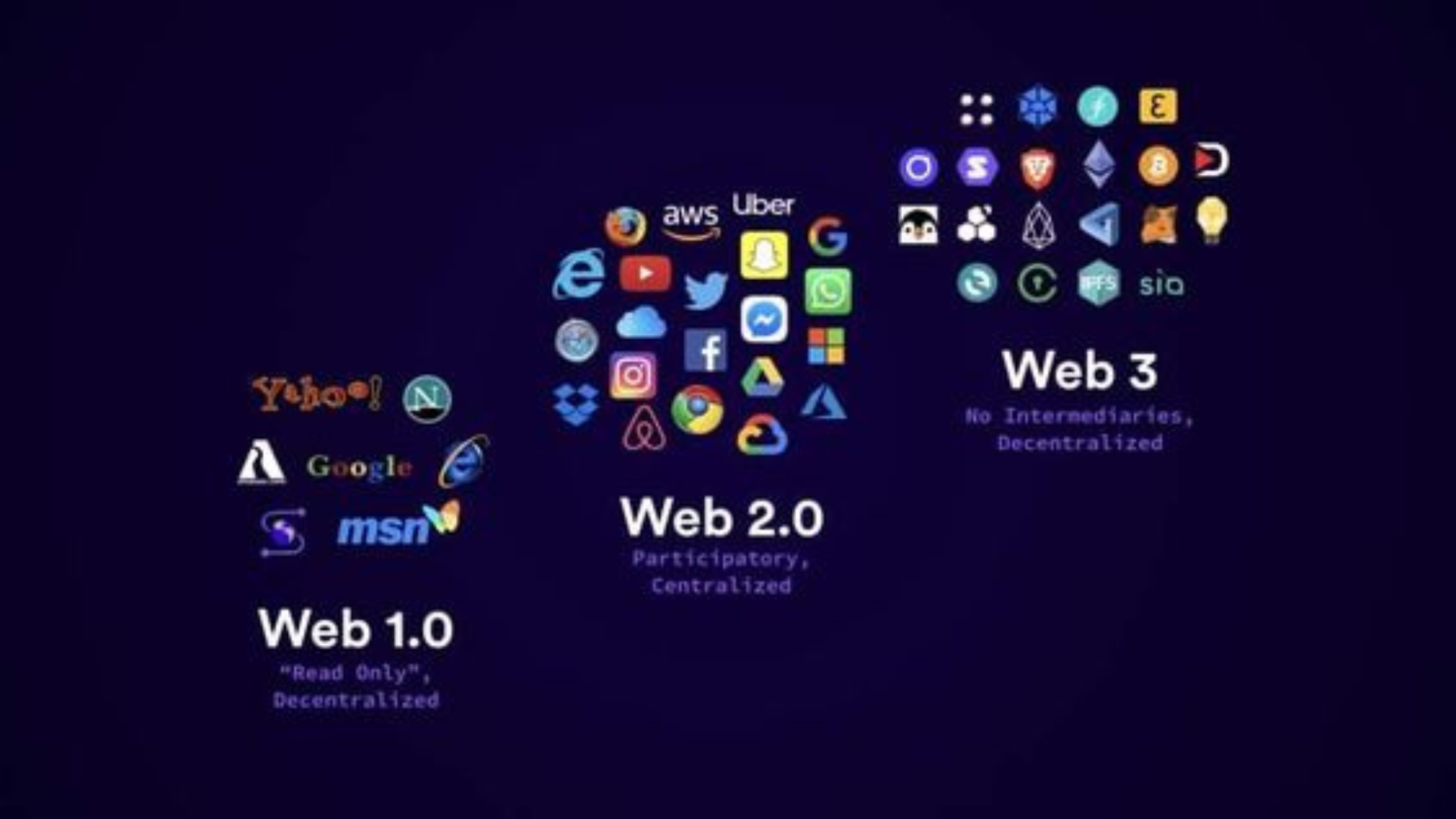
The internet has undergone..
By Admin / Mar 14

Whenever we talk..
By Admin / Mar 13

As we all know..
By Admin / Feb 28

Web server hosting is a..
By Admin / Feb 13

Web server hosting business
By Admin / Feb 13

Your website running slow?
By Admin / Feb 05

Introducing quizzes
By Admin / May 12

If you are a beginner in...
By Admin / May 20